How to make AirPods, AirPods Pro and AirPods Max louder
One of these main suggestions usually work: 1.Ask Siri to check volume. 2. Exit Low Power Mode. 3. Clean AirPods. 4. Recalibrate. 5. Check app volume. 6. Reset.
Insights for the rest of us

One of these main suggestions usually work: 1.Ask Siri to check volume. 2. Exit Low Power Mode. 3. Clean AirPods. 4. Recalibrate. 5. Check app volume. 6. Reset.
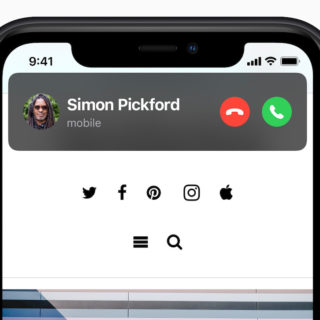
Change your iPhone incoming call warning back to full screen in Settings > Phone > Incoming Calls to select the Full Screen option in iOS 14 or later.
You do not need to own multiple iPhones to measure people’s height — you just need to use LiDAR, Artificial Intelligence and the latest iteration of the Apple smartphone.

This complete guide to conference calling on iPhones explains everything you need to know to host and manage groups of up to five people in conference calls.
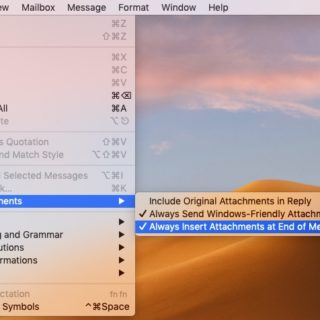
One small setting change in Mail’s Edit menu is how to always insert attachments at end of message in Mail….

Did you know that the huge white space above the dialling interface in the iPhone’s Phone app actually lets you paste phone numbers into it? You do now.

I don’t think there are many iPhone or iPad owners who are aware of this handy little tip that may sometimes help rescue several gigabytes of otherwise wasted storage space…

Have you ever sat there listening to your iPhone ring and not known how to reject the call? Never let it happen again thanks to these simple and effective tips. Help is at hand:
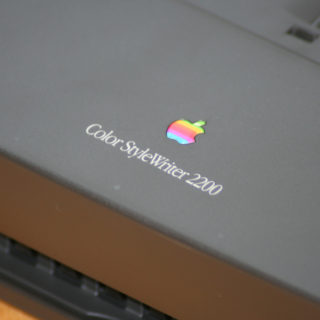
You can use your Mac as a print server to share a printer with other users over Wi-Fi. This isn’t...
How useful would it be if you could open up the exact page you wanted to visit on any website...
🍎 Daily Apple Briefing
Sign up to Apple Must's daily Apple briefing.
5 minutes. No noise.