Did you know this little iPhone calling tip?

If you want to know how your iPhone works, ask your kids.
Apple’s iPhone/iOS is packed with secrets, such as the need to swipe back on the numbers in the Calculator app to delete an error – here’s another one we think most iPhone users have no idea about.
Did you know this little iPhone calling tip?
The situation:
Apple’s data detectors try to identify phone numbers where they find them in some apps, but this doesn’t work in every app and those numbers aren’t always recognized.
What do you do when you receive a number in an app or document iOS doesn’t spot?
Just follow this short and easy tip:
- Select the telephone number in the app or document by long pressing until the contextual select menu appears.
- Once selected, choose Copyto copy the number.
- Now tap the Phone appon your iPhone to open it.
- The keyboard appears with a cavernous white space at the top of the window.
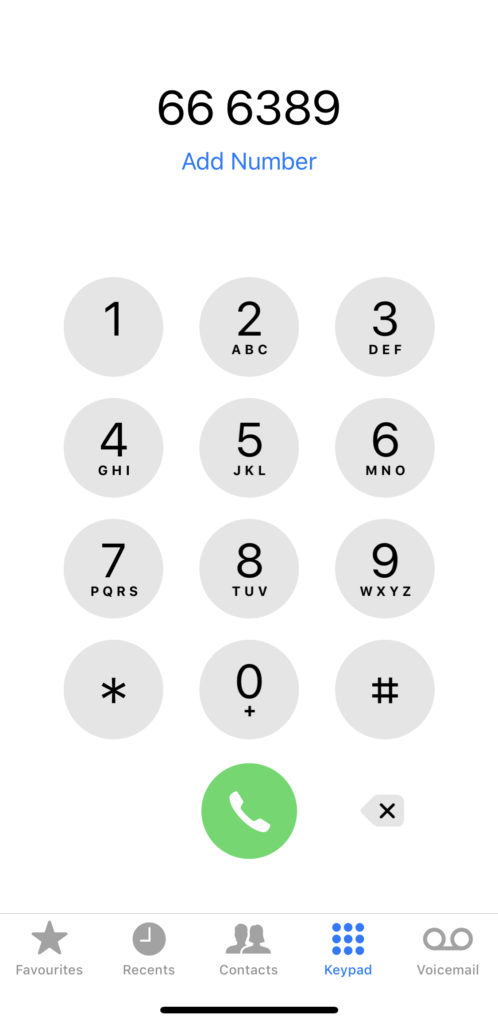
That white space? You mean it does something? Who knew?
- Tap your finger in the white space, remove it, and you’ll see the Paste item appear.
- (The one you probably didn’t know existed there).
- Tap Paste and the number you copied will appear in the previously noted ‘cavernous white space’ area.
- Tap the Green button to call that number; or tap the blue ‘Add Number‘ ’item to add it to your Contacts book.
I’m convinced millions of iPhone users didn’t know about this handy little feature.
[amazon_link asins=’0321965515′ template=’ProductCarousel’ store=’9to5ma-20′ marketplace=’US’ link_id=’4a886591-bb68-451f-b88a-9957ebe14166′]
It’s a little like using the Magnifying glass button in the Share menu when looking for a particular word or phrase on a webpage you happen to have open in Safari, or that useful cursor you find when you press and hold in the keyboard on iOS when writing something.
Did you know this one? Let me know in the poll, or share you favourite hard to find iOS talent in comments below and help everybody else who comes to this page find out more.
[CP_POLLS id=”45″]
Please follow me on Twitter, or join me in the AppleHolic’s bar & grill and Apple Discussions groups on MeWe.