WWDC 26: What’s new in Apple Intelligence?
It will be difficult to avoid merging the two, but along with Siri AI Apple also introduced the next-generation of Apple Intelligence, built on what it calls a “bold” new architecture that integrates the latest Apple Foundation Models.
Architecture & Google partnership
The new Apple Foundation Models were custom-built in collaboration with Google and its Gemini models. Processing runs on-device and via Private Cloud Compute, where personal data is never stored or accessible to Apple or third parties.
Every part of the new Apple Intelligence architecture is built privacy-first, from the latest Apple Foundation Models to the core technologies that integrate these models deep into Apple’s platforms. Apple Intelligence uses on-device processing and Private Cloud Compute to help protect users’ privacy.
When Private Cloud Compute is handling users’ requests, their personal data is not stored nor made accessible to Apple or anyone else. Outside experts can continue to verify this privacy promise at any time.
Some features, including image generation, have daily usage limits because they rely on powerful server models. Increased access is available with most iCloud+ subscription plans, which also include Apple Intelligence support for compatible Home cameras.
What Apple said
“At Apple, our mission has always been to turn the potential of advanced technology into helpful and intuitive products for everyone, and that has never been more important than today,” said Craig Federighi, Apple’s senior vice president of Software Engineering. “Truly helpful AI must be centered on our users’ needs, deeply integrated into the products they rely on every day, grounded in personal context, and built with privacy at every step. That is our vision for Apple Intelligence. With useful features for browsing the web, expressing creativity, editing photos, and so much more, today marks a big step forward on our journey to integrate powerful AI into the core of our platforms and make our products even more personal and useful.”
Sign up to get all the latest WWDC and Apple news at The Core TLDR Apple News on Substack.
Here are 24+ new Apple Intelligence features
Here’s what’s new across apps:
Photos
Three new editing tools:
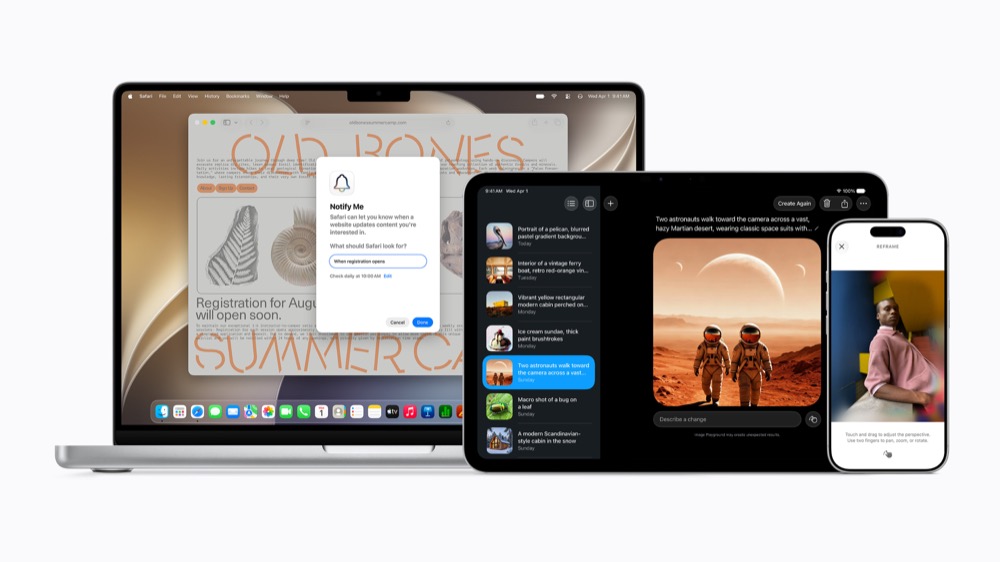
- Spatial Reframing, which lets you drag and reposition the perspective of a photo after it’s taken;
- Extend, which expands the edges of an image to fix cropping or straighten a horizon;
- Clean Up tool with more realistic infill for complex scenes. AI-edited photos will carry a hidden SynthID watermark.
Safari
- Tabs are now automatically organised into topics (e.g. all your travel-planning tabs grouped together).
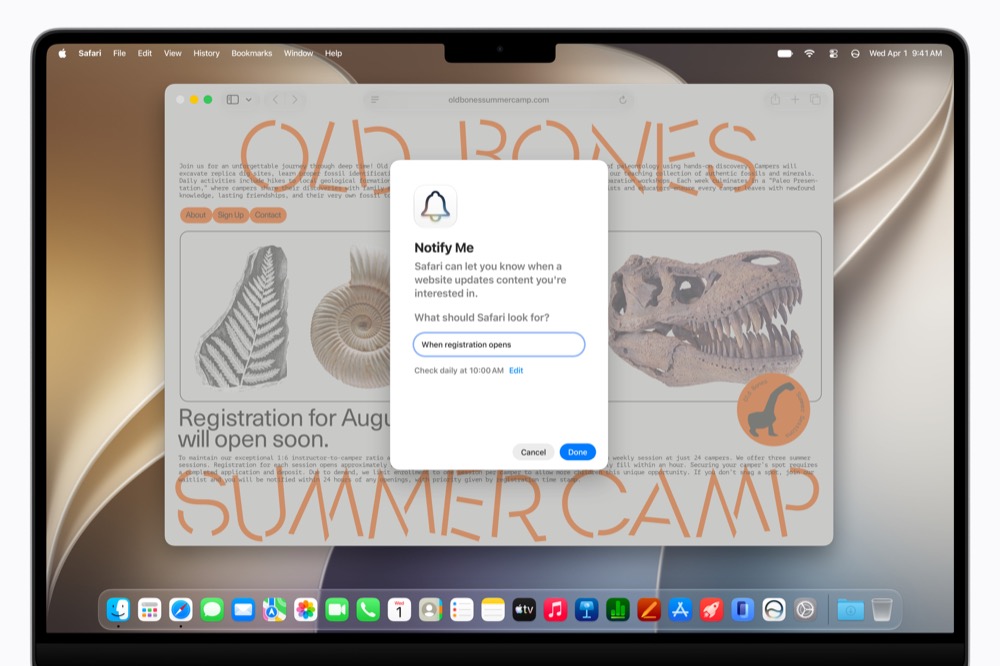
- Notify Me lets Safari monitor a webpage for changes like price drops or restocks and send you an alert.
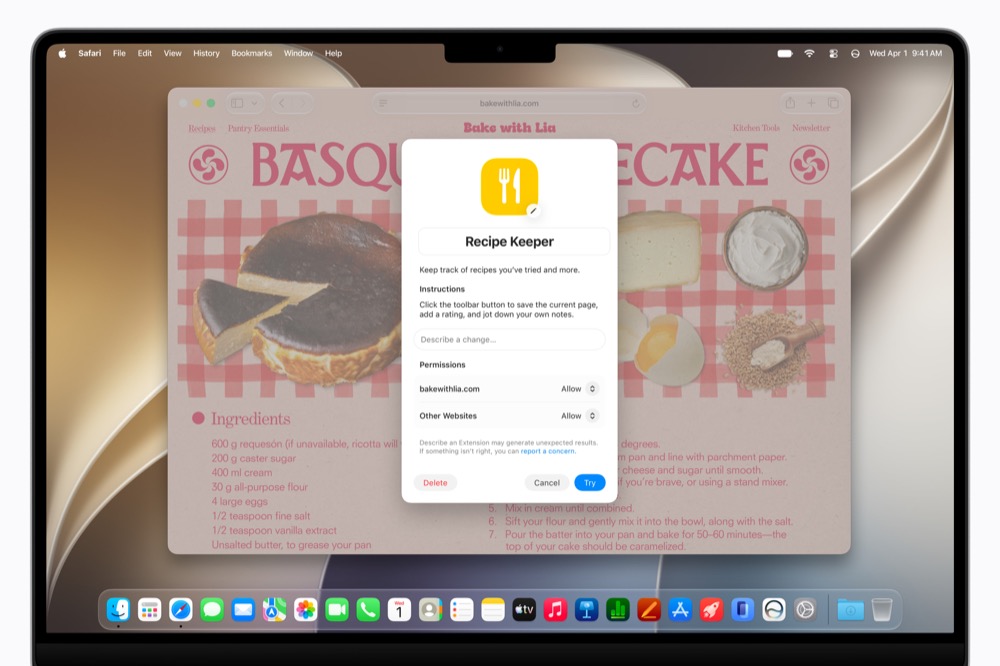
- Describe an Extension lets you create a custom Safari extension just by describing what you want.
Passwords
The app can now automatically fix weak or compromised passwords with a single tap, navigating websites on your behalf to upgrade your accounts to strong passwords.
Image Playground
Now supports photorealistic image generation via a new model running on Private Cloud Compute. You can modify images by describing changes or by tapping, circling, or brushing objects. Images can now also be used for Lock Screen wallpapers and Contact Posters.
Messages & Mail
One-tap contextual suggestions in Messages (like adding a reminder or finding relevant photos), smarter suggestions in Mail with third-party app actions, and Smart Reply that now adapts to your personal writing style.
Call Context
When you call a business, the Phone app proactively surfaces relevant info from your emails, (Apple used a flight confirmation code as an example), entirely on-device, so nothing is shared with Apple or anyone else.
Calendar
You can now add or modify events just by describing them; Calendar automatically identifies contacts, locations, and creates a title.
Shortcuts
This is exciting as a new Describe a Shortcut feature lets you build automations just by describing what you want in plain language, with the Shortcuts app assembling all the required steps.
Home App
Related accessory notifications are now grouped into a single updating notification. If you’ve ever needed to trawl through hours of security camera footage the next improvement will be welcomed by you as HomeKit Secure Video cameras get AI-generated descriptions of video clips, searchable clip history, and a “Noteworthy” section surfacing important moments automatically.
Accessibility
VoiceOver gets richer image descriptions and improved Live Recognition via the Action button. Voice Control becomes more intuitive as you can describe buttons instead of memorising labels. Accessibility Reader now handles more complex material and offers on-demand summaries and translation.
Other additions
- Automatic system-wide proofreading,
- Intelligent file and folder naming suggestions,
- Improved Genmoji quality with describe-to-edit.
You can follow me on social media! Join me on BlueSky, LinkedIn, Mastodon and The Core.